
Jurij Tokarski
Photo to Mosaic Kit With No Server
A photo becomes a step-by-step kit guide, all in the browser. I proposed dropping the server, so the tool runs with no hosting cost and no upkeep.
A client needed software that turns any photo into a step-by-step guide for a mosaic kit. The customer picks a photo, then rebuilds it on a canvas, piece by piece, in six shades of gray.
My first design put a server behind it. Then I proposed dropping the server altogether. That one decision shaped the rest of the build, including the bug that froze phones.
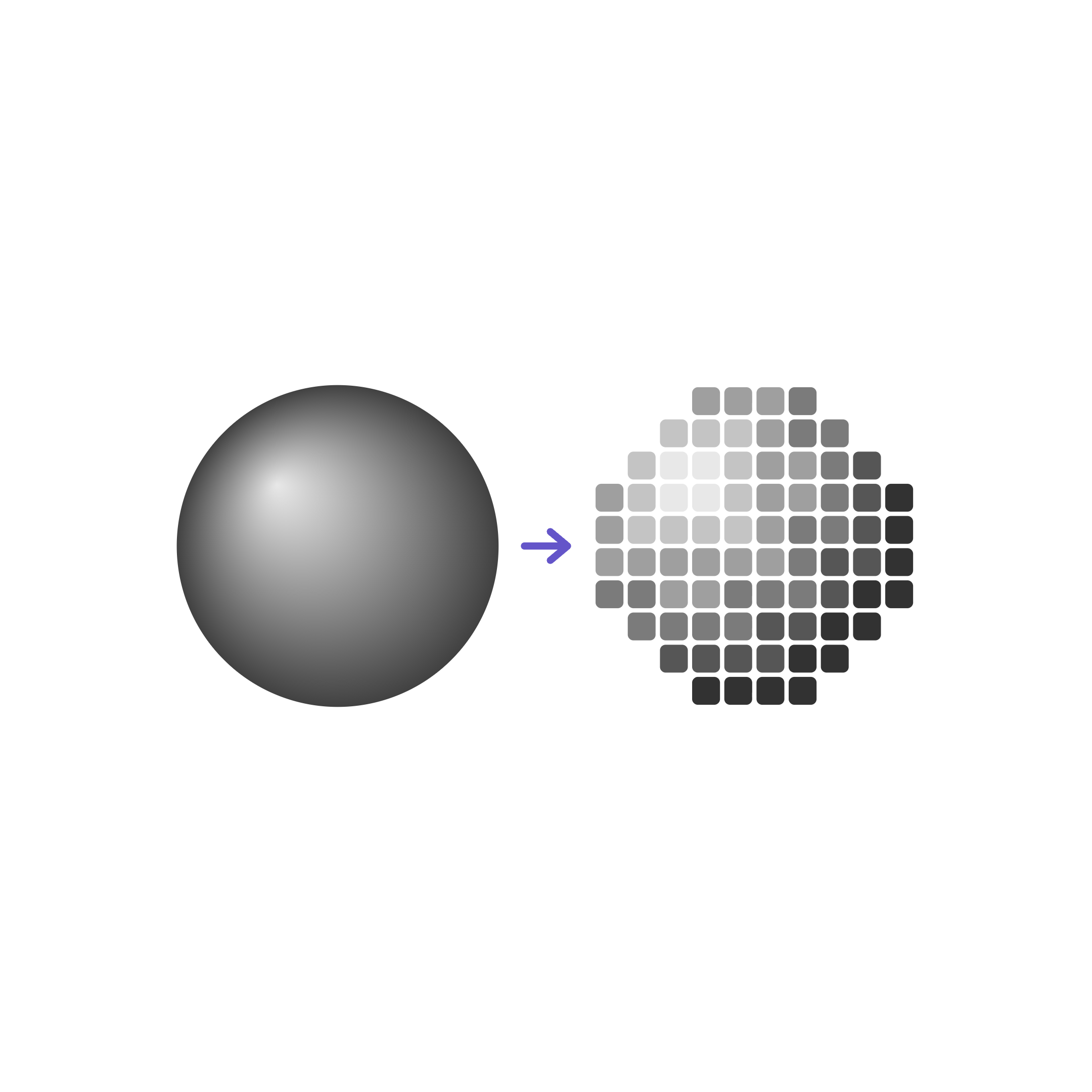
A Prototype in a Few Hours
Before the full build, I prototyped the hard part with AI: turning a photo into a gray pattern. Within a few hours, it was working.
It used five shades instead of the kit's six. That was enough to prove the algorithm, and it gave the client something to try right away. With the algorithm proven, I started on the full app.
The Server Came With Costs
The requirements included no login, any device and a PDF guide to download. In my first design, a server would build the PDFs, email the guides, keep a history of photos and track use.
That meant more convenience, and four costs. Server costs would grow with usage. A database would need setting up and maintaining. Customer photos would sit on a server. And reaching saved files would take a login, in an app meant to need none.
I was ready to build it. But a server costs money to maintain, so I proposed another route to the client: run everything in the browser.
The client agreed, and the four costs left with the server. No server meant no server costs and no database to maintain. Processing needed no upload, so photos stayed on the customer's device. With nothing saved, customers needed no login. Email and saved history went too.
The photo's path got shorter. The work on the device got heavier.
The PDF Froze Phones
I built the app in React. Partway through the build, PDF generation started freezing phones. The browser thread that draws the page was also building the PDF.
I moved the PDF into a Web Worker, which builds it in the background. The page kept responding, even on older phones.
From Photo to Printable Guide
With the PDF in the background, the finished build ran from photo to guide on the device. A customer drags in a photo. They move and scale it in a fixed frame, by touch, mouse or wheel, as in their phone's gallery.
Next, the app turns it into a 117×165 grid, one cell per piece, each set to the nearest of six shades. Last, it builds the PDF: a guide in numbered sections, with each shade marked by its own letter. Progress indicators and tips help along the way.
Five screenshots show the whole flow:
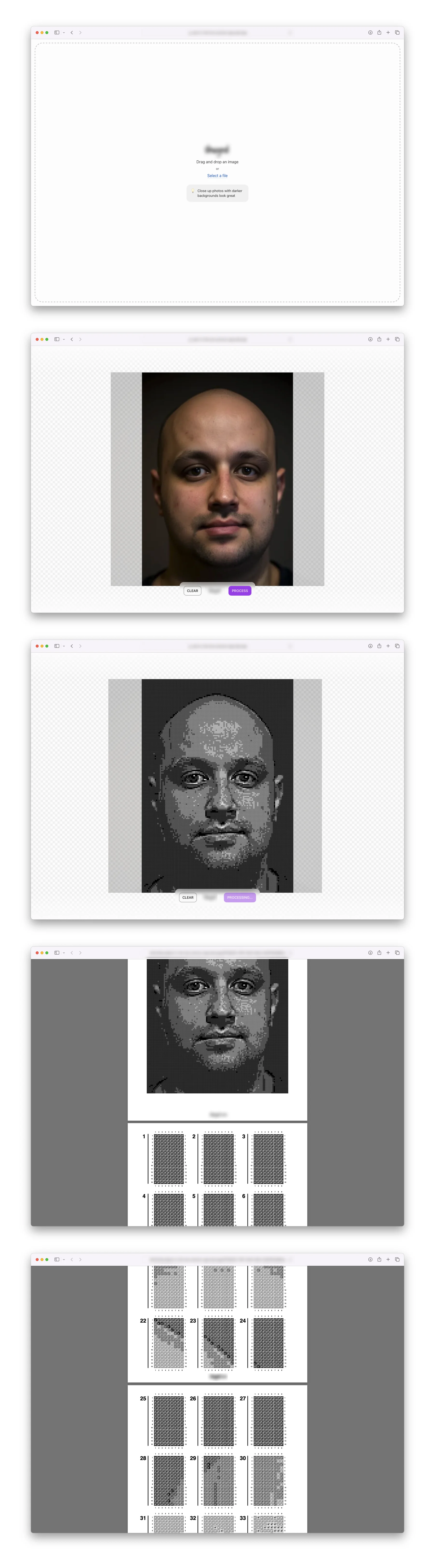 Photo, crop, six-shade preview and PDF, all on the customer's device
One Question Shaped the Build
The finished build turned a photo into a printable kit guide, and the photo never left the customer's device. It needed no server to pay for or keep, no database and no login.
That came from one question I asked of a design I was ready to build: does it need a server? It didn't, and the client agreed. The catch came partway through the build. With the heavy work on the device, the PDF froze phones until a Web Worker moved it to the background. One freeze against four costs is a trade I'd take again.
So that's the question I'd ask of any design, most of all the ones I'm ready to build.
Got thoughts on this? Reply by email.
Jurij Tokarski
I run a solo business and produce software. Usually I'm shipping for clients or building for myself. Sometimes I pause to write about it.