
Jurij Tokarski
Mirror Your Site as Markdown
How varstatt.com serves every page as machine-readable markdown — prebuilt at deploy, discoverable via headers, and ready for agents.
Cloudflare runs isitagentready.com — a scorecard that grades sites on how well they expose themselves to AI agents. The tool covers five categories (discoverability, content accessibility, bot access control, protocol discovery, commerce), but varstatt.com is a content site, so I ran the ?profile=content view and focused on what it flagged there. I took the gaps as a checklist, shipped what was useful. This post is what came out of that.
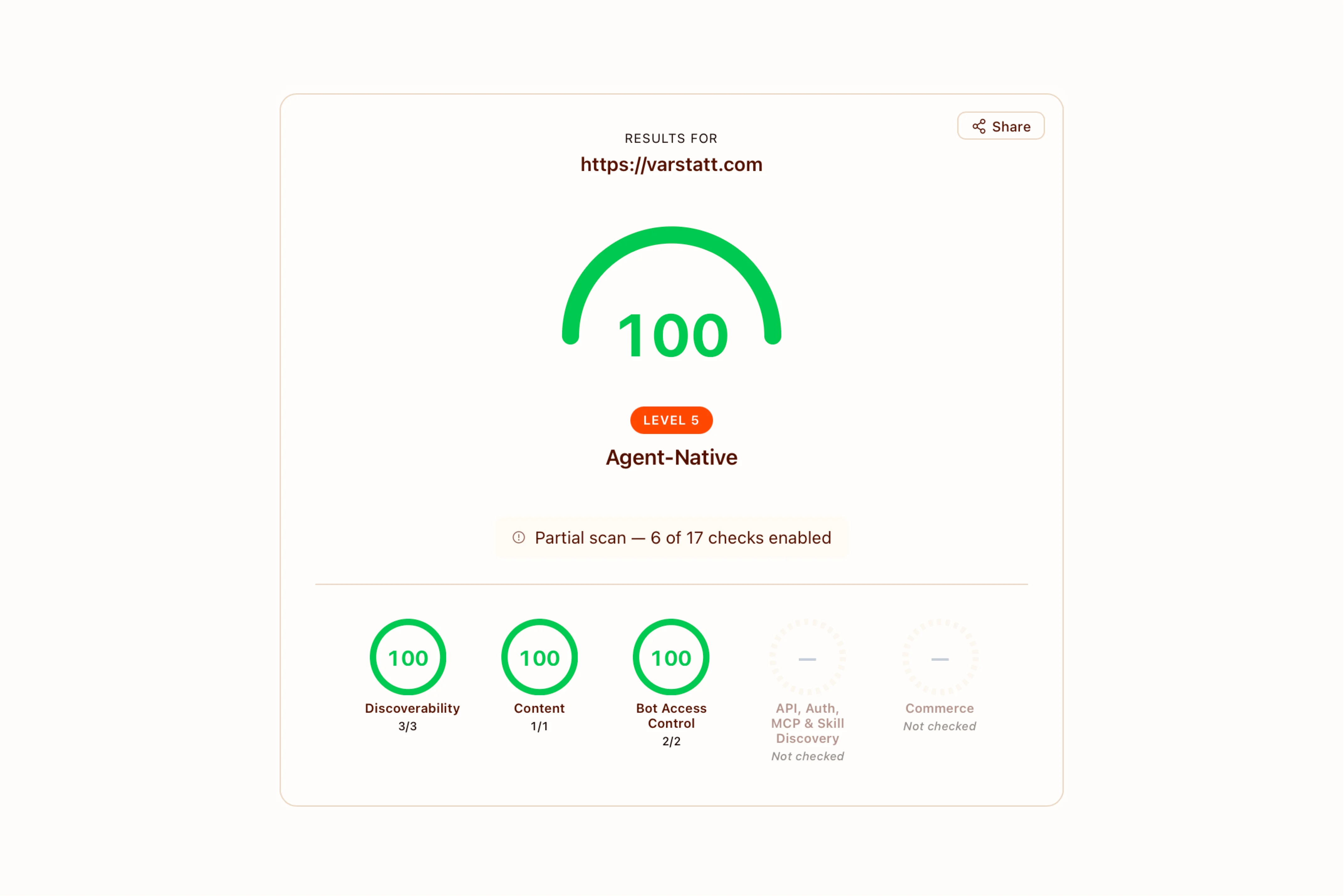 The isitagentready.com scorecard for varstatt.com on the content profile — discoverability, content accessibility, bot access control, all green.
The Problem with HTML for Agents
An LLM that lands on a marketing page sees layout markup — divs, buttons, style tags. It has to parse that to extract the content — pricing, FAQ, what the page is selling. It often gets it wrong, or burns tokens guessing.
The fix isn't to rebuild the page. The fix is to expose the same content in a format an agent can read directly. Markdown is the obvious choice — it's what every model was trained on, and it strips the layout noise without losing structure.
The HTML version is for humans. The .md version is the same content, stripped of layout, with stable URLs and structured frontmatter.
Same Content, 10× Fewer Tokens
| Page | HTML | Markdown | Reduction |
|---|---|---|---|
| Homepage | 23,908 | 2,130 | 11× |
| JSON Formatter | 8,315 | 463 | 18× |
| Code audit blog post | 16,699 | 2,159 | 8× |
An agent that wants to know what varstatt.com sells either burns 24K tokens parsing layout, or fetches 2K tokens of clean structured markdown. The interactive toolkit tool is the most extreme — the HTML ships an entire React app for what is, in markdown, a FAQ and a how-it-works list.
Two Entry Points
Agents discover the markdown mirror two ways.
URL suffix. /jurij/p/what-a-code-audit-looks-like.md returns the markdown for that page. Predictable, cacheable, works in any HTTP client.
Accept negotiation. Accept: text/markdown on the same URL returns the same markdown. The original URL stays canonical.
Both routes go through middleware that rewrites them to a single static endpoint:
// /foo.md → /api/markdown/foo
if (pathname.endsWith(".md")) {
  const contentPath = pathname.slice(0, -3) || "/";
  return rewriteToMarkdown(request, contentPath);
}

// Accept: text/markdown → /api/markdown/<path>
if (accept.includes("text/markdown") && isContentPath(pathname)) {
  return rewriteToMarkdown(request, pathname);
}
Prebuilt at Deploy
The markdown route is a Next.js catch-all with force-static and generateStaticParams. Every known content URL — homepage, blog posts, principles, packages, discovery tools, toolkit entries — gets prerendered at next build and served as a static file from the CDN.
export const dynamic = "force-static";
export const dynamicParams = true;

export async function generateStaticParams() {
  return getAllPagePaths().map((path) => {
    if (path === "/") return { path: undefined };
    return { path: path.replace(/^\//, "").split("/") };
  });
}
170 paths prebuilt. The route handler runs once per page at build time, never at request time. No serverless function cost, no cold starts, no runtime errors.
dynamicParams: true means unknown paths still hit the handler — those return a markdown 404 with links to main sections, so even an agent that guesses a wrong URL gets useful context back.
Mirroring JSX Pages
The package pages — /, /jurij/p/what-a-6-week-mvp-build-looks-like, etc. — are MDX files that compose React components. No markdown body. The content lives in component props: <Hero title description />, <Pricing preset="6_WEEKS" />, <FAQ items={[...]} />.
To produce a real markdown mirror, the renderer evaluates the MDX with @mdx-js/mdx, then walks the React tree. Each section component has a markdown stub — a function that takes the same props and returns a string:
function Pricing({ preset }) {
  const data = PRICING_PRESETS[preset];
  return [
    `## ${data.title} — ${data.planLabel}`,
    `- **Price:** ${data.price} ${data.priceUnit ?? ""}`,
    ...data.includes.map((i) => `  - ${i}`),
  ].join("\n");
}
MDX creates React elements with these stub functions as type, but never invokes them. The walker calls each one manually, joins the results with blank lines. The output is a faithful mirror of the page — same hero, same pricing, same FAQ — as markdown a human could read like a GitHub README.
Toolkit Tools — Render from Frontmatter
The 48 toolkit tools (Base64, JSON formatter, regex tester, and so on) had a different shape. Each MDX file is mostly empty in the body — <HowItWorks />, <FAQ />, <Signature /> — with all the content in YAML frontmatter:
howItWorks:
  - step: "Choose text or file mode"
    description: "Use the Text tab for string encoding..."
faqs:
  - q: "What is Base64?"
    a: "Base64 encodes binary data as ASCII text..."
The markdown handler skips MDX evaluation entirely for tools and renders straight from frontmatter. Each tool gets a structured markdown page: description, How It Works, FAQ, Usage, Related Tools.
The Usage section adds something specific to interactive tools: a note that the tool needs a browser (since markdown can't show a working JSON formatter), plus a URL prefill example for tools that support it:
## Usage

This tool runs entirely in the browser — visit the URL above to use it.

Prefill inputs via URL parameters:

- `https://varstatt.com/toolkit/regex?pattern=...&flags=...&input=...`
Discovery tools get the same treatment — they're AI chats that need a browser, so the markdown explains the tool, lists the questions an agent could prepare answers for, and shows how to prefill the chat with ?context=....
llms.txt and llms-full.txt
llms.txt follows the llmstxt.org convention — a structured index of what's on the site. Services, portfolio, discovery tools (with prefill hints), toolkit, principles, recent blog posts. 170 lines, 14 KB. Generated dynamically from the same content sources as the rest of the site, so it never goes stale.
llms-full.txt is the optional companion: every page's markdown concatenated into one file. 12,459 lines, 651 KB. Each section starts with # <URL> so any quoted snippet can be traced back to its source page.
Both are prebuilt static files. The index for navigation, the full file for one-shot loading.
Make the Markdown Discoverable
An agent that hits the HTML version doesn't always know the markdown exists. RFC 8288 has a header for that:
Link: <https://varstatt.com/jurij/p/what-a-code-audit-looks-like.md>; rel="alternate"; type="text/markdown"
Middleware adds it to every HTML response. A HEAD request reveals the markdown URL without any guessing. The agent can switch over without re-fetching.
Robots.txt with Content Signals
Cloudflare's Content Signals spec lets you declare intent for bot use: search, ai-input, ai-train. One line in robots.txt:
User-agent: *
Content-Signal: search=yes, ai-input=yes, ai-train=yes
Allow: /
Then explicit allow blocks for GPTBot, ClaudeBot, PerplexityBot, Google-Extended, and the other AI crawlers. Explicit beats implicit when the spec is still settling.
What I Skipped
Premature standards adoption is one of the worst forms of tech debt — you can't refactor away from a public protocol once agents start consuming it.
Worth shipping: markdown negotiation, llms.txt, llms-full.txt, Link headers, Content Signals, AI bot allowlist.
Skipped: MCP Server Card, WebMCP, Agent Skills, x402, MPP, UCP, ACP. All early specs with no real adoption yet. I'll revisit when they settle.
What This Costs
The whole thing is static. Build time goes up by a few seconds while 170 markdown files get generated. Runtime cost is zero — every .md URL serves from CDN cache. No serverless function invocations, no streaming, no on-demand rendering.
If you ship content from a git repo and rebuild on push, this is the right shape: one renderer, one shared content source, one build step, every page mirrored.
What an Agent Sees Now
Three things changed:
- Every page has a
.mdURL with the full content in clean markdown - The HTML version advertises its
.mdmirror viaLinkheader llms.txtindexes everything;llms-full.txtconcatenates everything
An agent that lands on the homepage knows where to find the markdown without trying URLs. An agent that wants context loads one file. An agent that wants a specific page fetches one URL. None of it requires the agent to parse HTML.
The site stayed the same for humans. For agents, it became a different surface — one they can actually read.
Subscribe to the newsletter:
About Jurij Tokarski
I run Varstatt and create software. Usually, I'm deep in work shipping for clients or building for myself. Sometimes, I share bits I don't want to forget.
x.comlinkedin.commedium.comdev.tohashnode.devjurij@varstatt.comRSS